LLM ranks where you browse
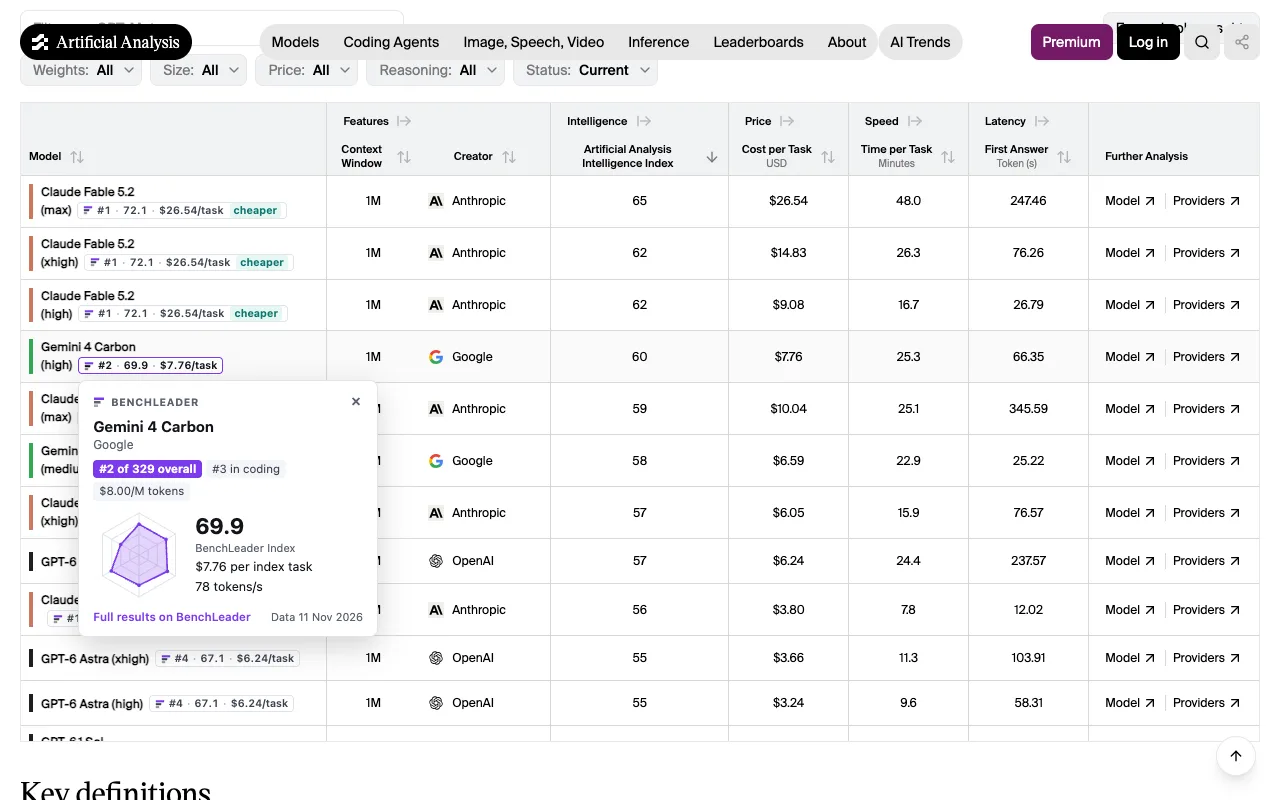
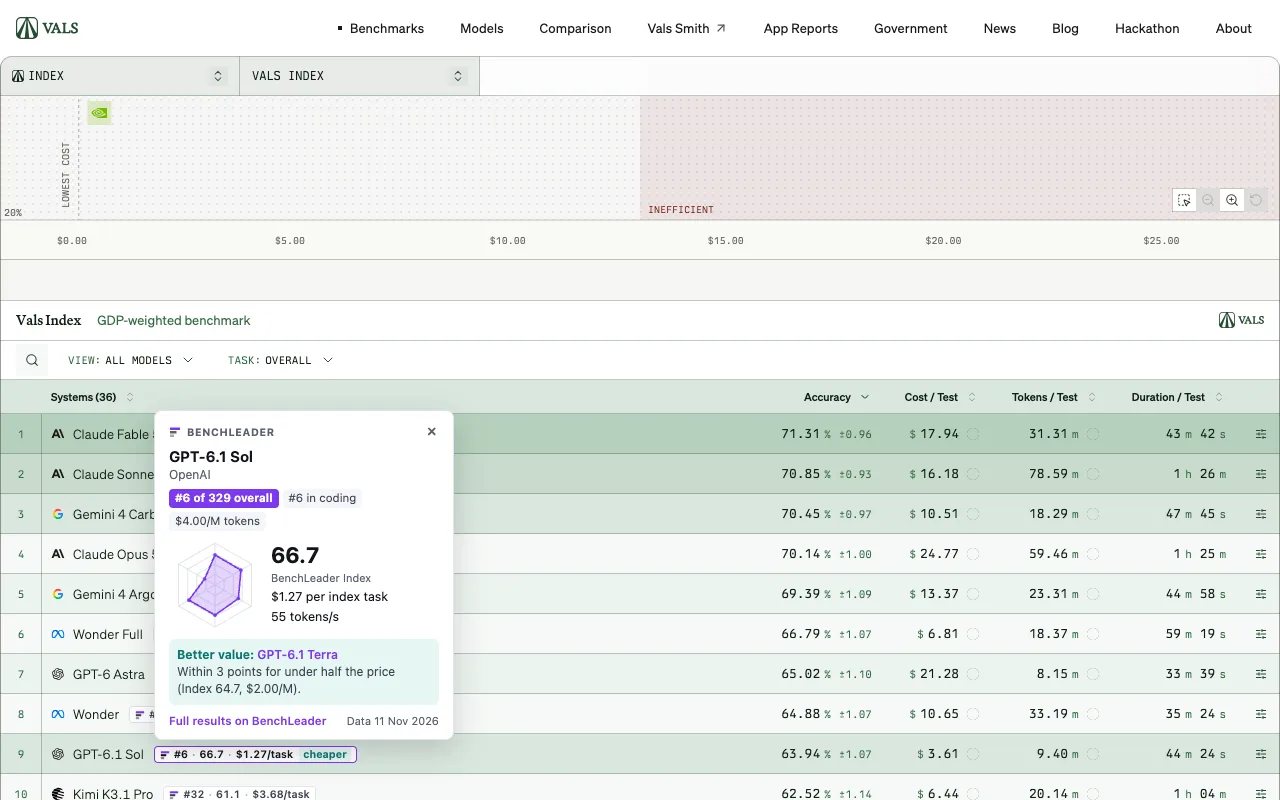
The BenchLeader extension puts the independent BenchLeader Index next to every model on the leaderboards you already read: its rank among 329 models, its index, what one task costs and, when there is one, a cheaper model that scores about as well. Free, no account, no tracking.
What it does
Badges on leaderboards
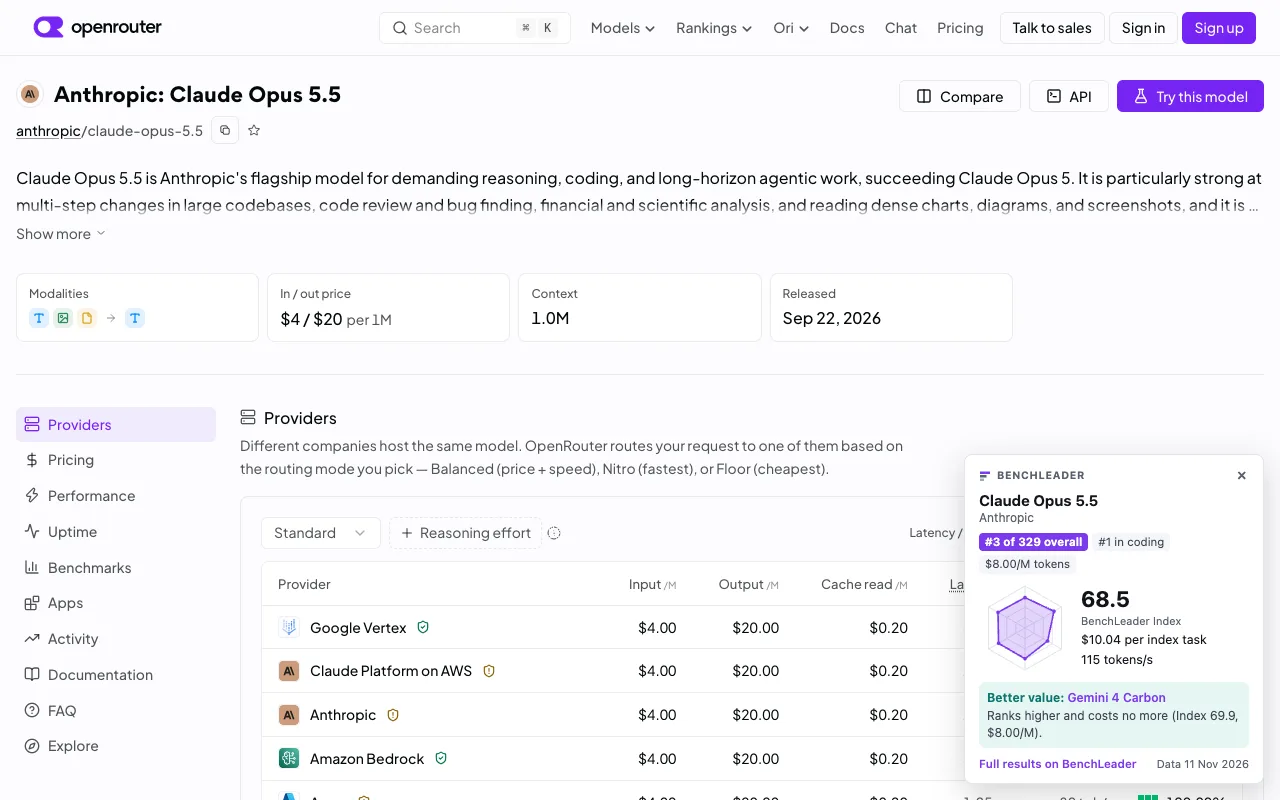
On Artificial Analysis, LMArena, Vals AI, LiveBench, OpenRouter and Hugging Face, every model row gets a small badge: its rank on BenchLeader’s overall list, its BenchLeader Index and its cost per index task. A cheaper flag marks a model when another one scores within three index points for under half the price. Hover or click a badge for the full card: ranks, category scores on a radar, speed and the better-value model, each linked to its page here. On a model’s own page on OpenRouter, Hugging Face, Artificial Analysis or Vals AI, the card sits in the corner.
Hover cards on chat and social sites
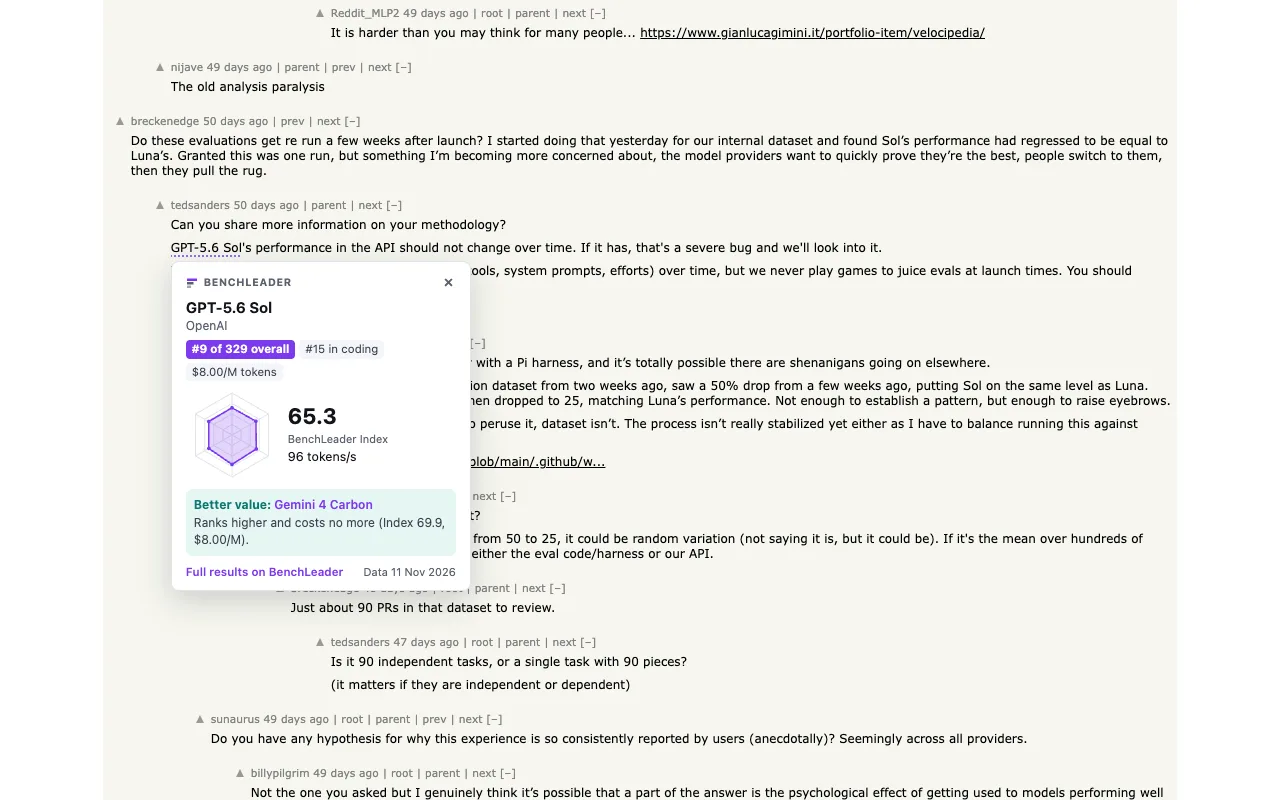
Turn on ChatGPT, Claude, Gemini, X, Reddit and Hacker News in the settings and model names on those sites get a dotted underline; point at one for its card. These sites are off by default and the browser asks your permission for each one, so the install asks only for the leaderboards.
Compare and cost calculator
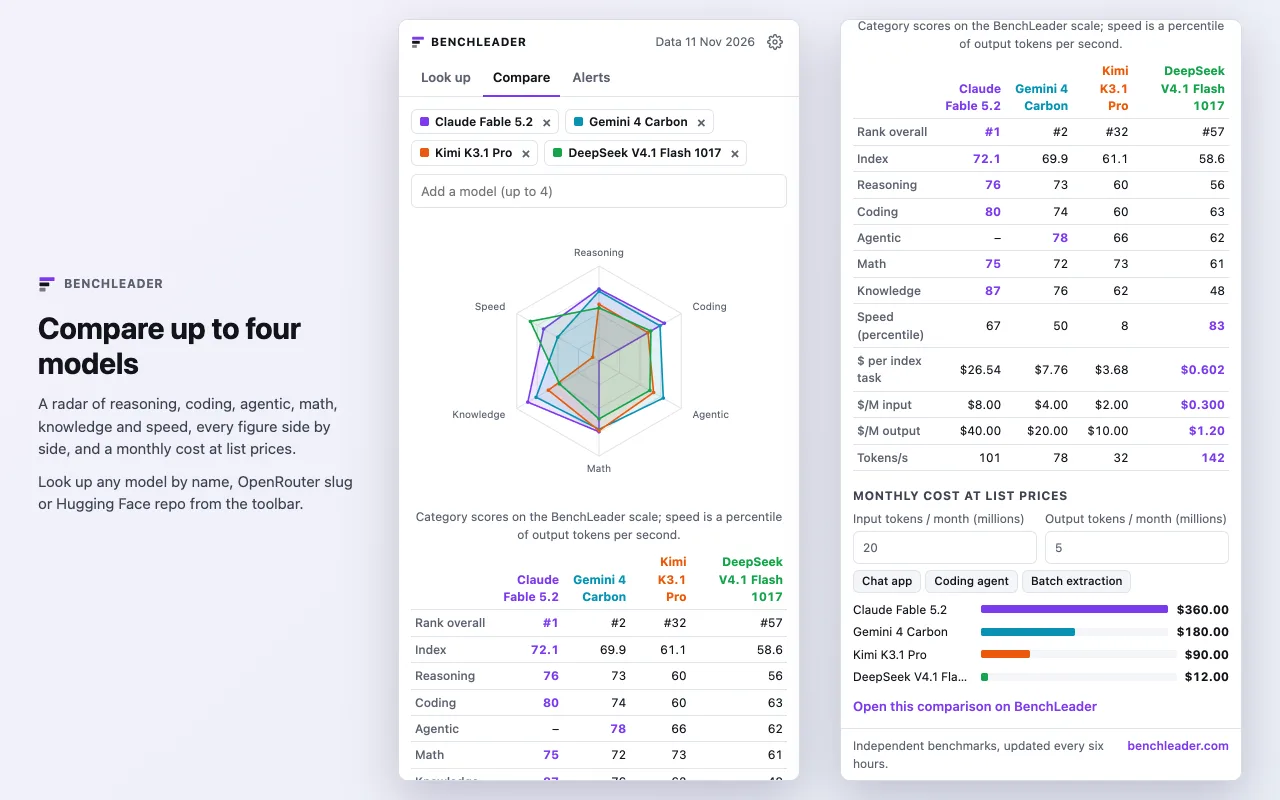
The toolbar popup looks up any model by name, OpenRouter slug or Hugging Face repo, and compares two to four side by side: a radar of reasoning, coding, agentic, math, knowledge and speed, the figures in a table, and a monthly cost calculator at list prices for the input and output tokens you expect. The same comparison opens on the compare page in one click.
Alerts
Every three hours the extension checks the day’s changes: new models with a release date or an index, and rank moves near the top of the Index. Unread ones show as a count on the toolbar icon and a list in the popup; desktop notifications are an option you switch on. For email instead, see email updates.
Settings
Light, dark or your system’s theme; each site on or off; which figures the badges show; how close a cheaper model must score to be flagged; which alerts you get.
Privacy
The extension makes two kinds of request, both to www.benchleader.com: the model catalog and the changes feed, every few hours, and on a model page the catalog does not cover, that one model’s name. Model names on a page are matched inside your browser; page text, browsing history and identifiers are never sent. There are no analytics. The full statement is in the privacy policy.
The figures are the site’s own, refreshed every six hours: see the methodology for how the Index is built, and the MCP server to ask an AI assistant the same questions.
Questions people ask
- Is the BenchLeader extension free?
- Yes. It is free, has no account and no ads, and shows the same figures as benchleader.com: the BenchLeader Index, ranks, list prices, cost per task and speed.
- Which sites does it work on?
- Badges appear on Artificial Analysis, LMArena, Vals AI, LiveBench, OpenRouter and Hugging Face. Hover cards are off until you turn them on, one site at a time, for ChatGPT, Claude, Gemini, X, Reddit and Hacker News.
- What does the extension send or collect?
- Nothing about you. It downloads BenchLeader's model catalog and changes feed from www.benchleader.com every few hours and matches model names on the page inside your browser. It has no analytics and no identifiers.
- Does it work in Edge, Brave or Arc?
- Yes. Any Chromium browser installs it from the Chrome Web Store, Microsoft Edge included (allow extensions from other stores when Edge asks).
- How does it know which model a row is?
- Each model on BenchLeader carries its aliases: its OpenRouter slug, its Hugging Face repo and the names other leaderboards use. A row's name or link is reduced to the same form and looked up; a row that matches nothing is left alone.